
Preparation
Before starting, visit the official website and download the V2.2 software package from the “Downloads” section.
Download Link: https://allxf.com/product/headtracker/

Accelerometer Calibration
Common Issues:
● The head tracker has been dropped or bumped.
● The module’s orientation is noticeably tilted, and remains crooked even after gyro calibration.
● Abnormal orientation after a firmware upgrade.
Calibration Steps:
● Open the CwHeadTracker software and connect the head tracker module.
● Place the module on a flat, level surface.
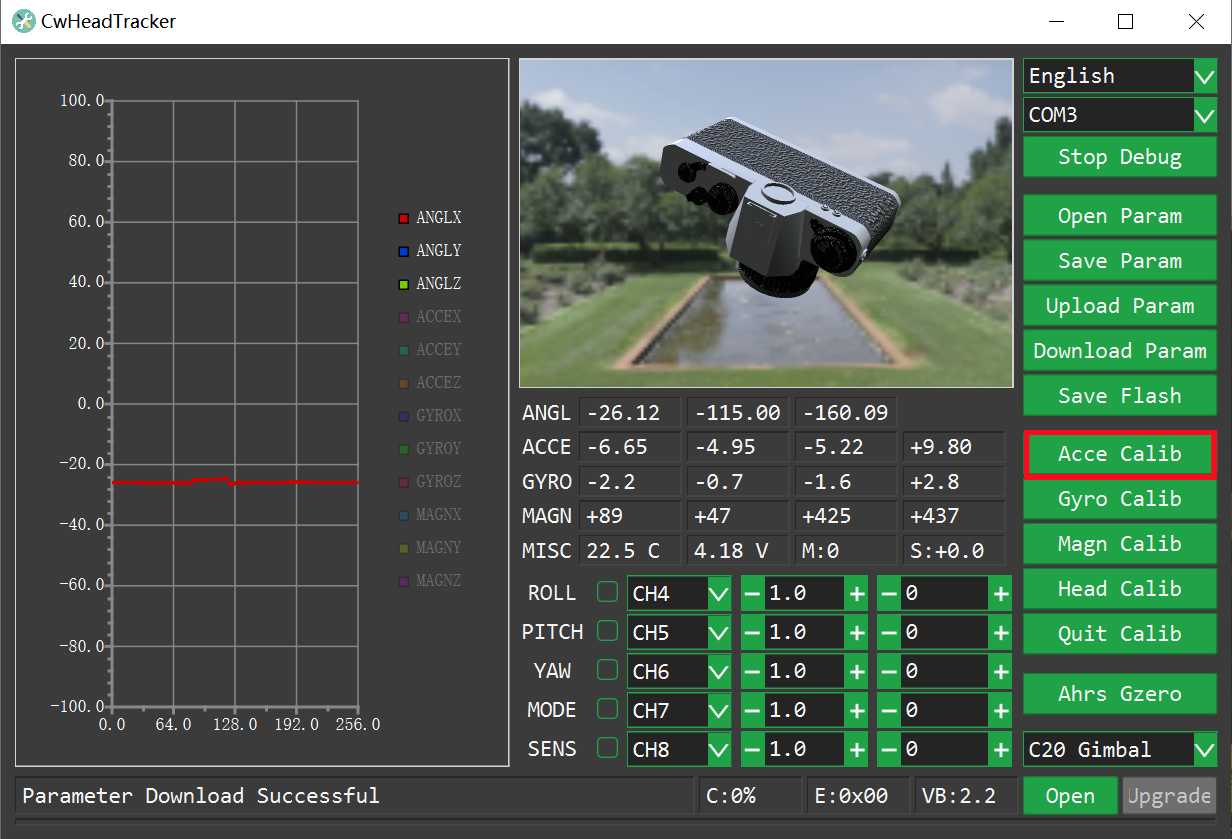
● Click [Acce Calib] and confirm the prompt to proceed.
● Once the calibration progress bar appears, begin calibrating each of the six faces. The six faces represent the different orientations of the module. You must wait for the progress bar to complete before turning the module to the next face.
● After completing all six faces, the software will indicate that the accelerometer calibration is successful. Calibration is now complete.
Gyroscope Calibration
Common Issues:
● The head tracker has been dropped or bumped.
● Drift in the head tracker causes the gimbal to rotate on its own.
Calibration Steps:
● Open the CwHeadTracker software and connect the head tracker module.
● Place the module on a flat, level surface.
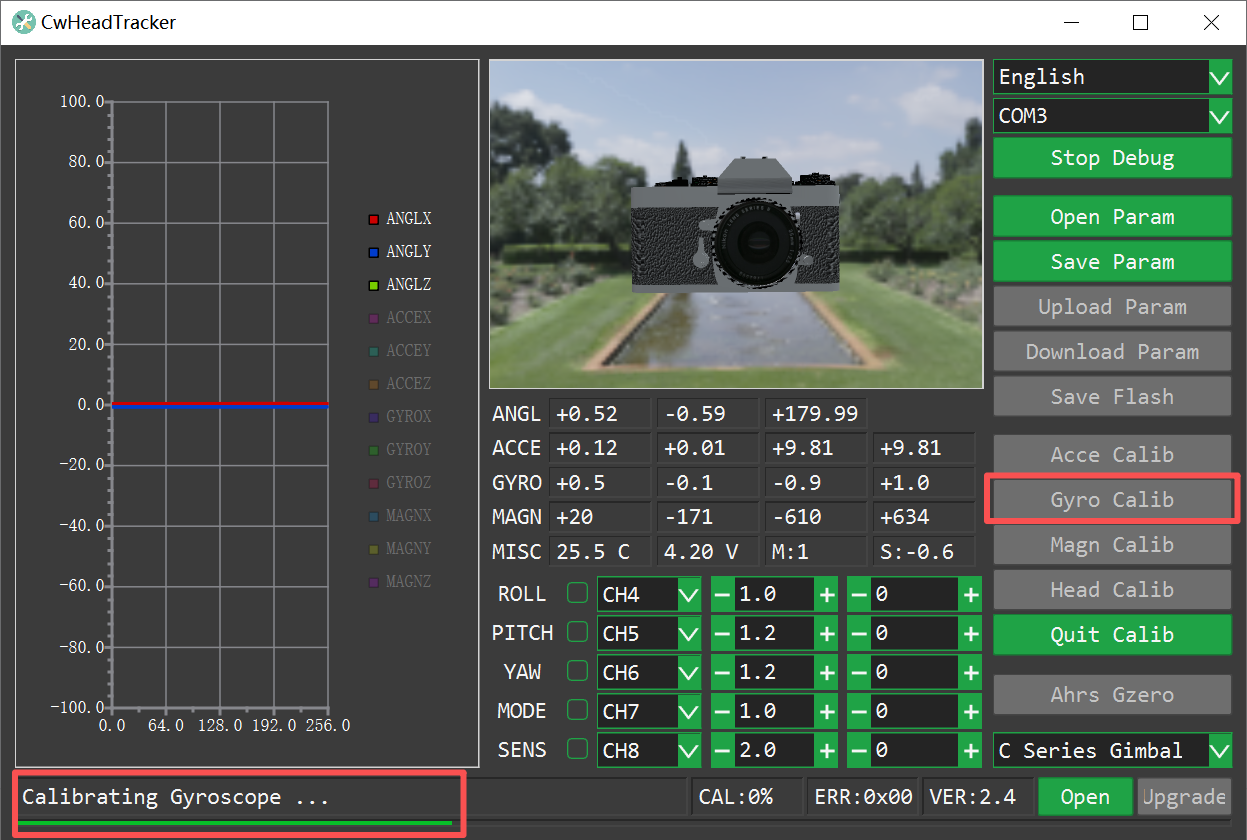
● Click [Gyro Calib] and confirm the prompt to proceed.
● Keep the module completely still and wait for the progress bar to finish.
● The software will indicate that the gyroscope calibration is successful. Calibration is now complete.
Magnetometer Calibration
Common Issues:
● The head tracker has been dropped.
● The module has been exposed to magnets or strong electromagnetic devices.
● The head tracker experiences continuous, noticeable yaw drift, and gyro calibration does not resolve the issue.
Calibration Steps:
1. Place the head tracker module away from strong magnetic fields and ferromagnetic objects.
2. Open the CwHeadTracker software, click [Magn Calib], and confirm the prompt to proceed.
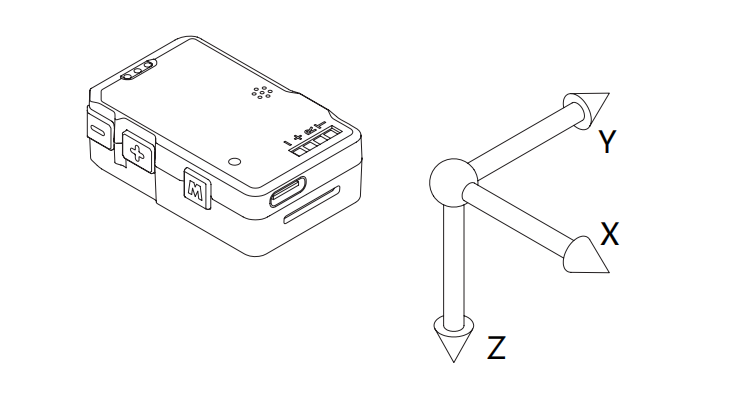
3. First Rotation: Hold the module with its Z-axis pointing horizontally and rotate it a full 360° at a steady, constant speed. Wait for the first progress bar to complete.
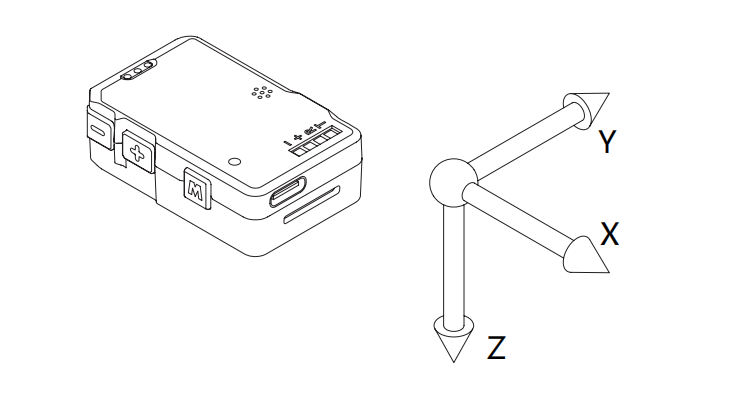
4. Second Rotation: Flip the module 90° so its X-axis is pointing horizontally, and again rotate it a full 360° at a steady speed until the software indicates calibration is successful.
Head Axis Calibration
Common Issues:
● The head tracker module has been re-attached, shifted, or had its Velcro replaced, altering its installation angle.
● When wearing the goggles and looking straight ahead, the gimbal points noticeably off-center instead of directly forward.
Calibration Steps:
1. Ensure the head tracker module is securely mounted to your FPV goggles in its normal wearing position.
2. Power on the goggles and wear them on your head. Do not attempt to hold the goggles by hand, as the wearing angle directly affects the calibration results.
3. While wearing the goggles, look straight down at the ground and keep your head completely still.
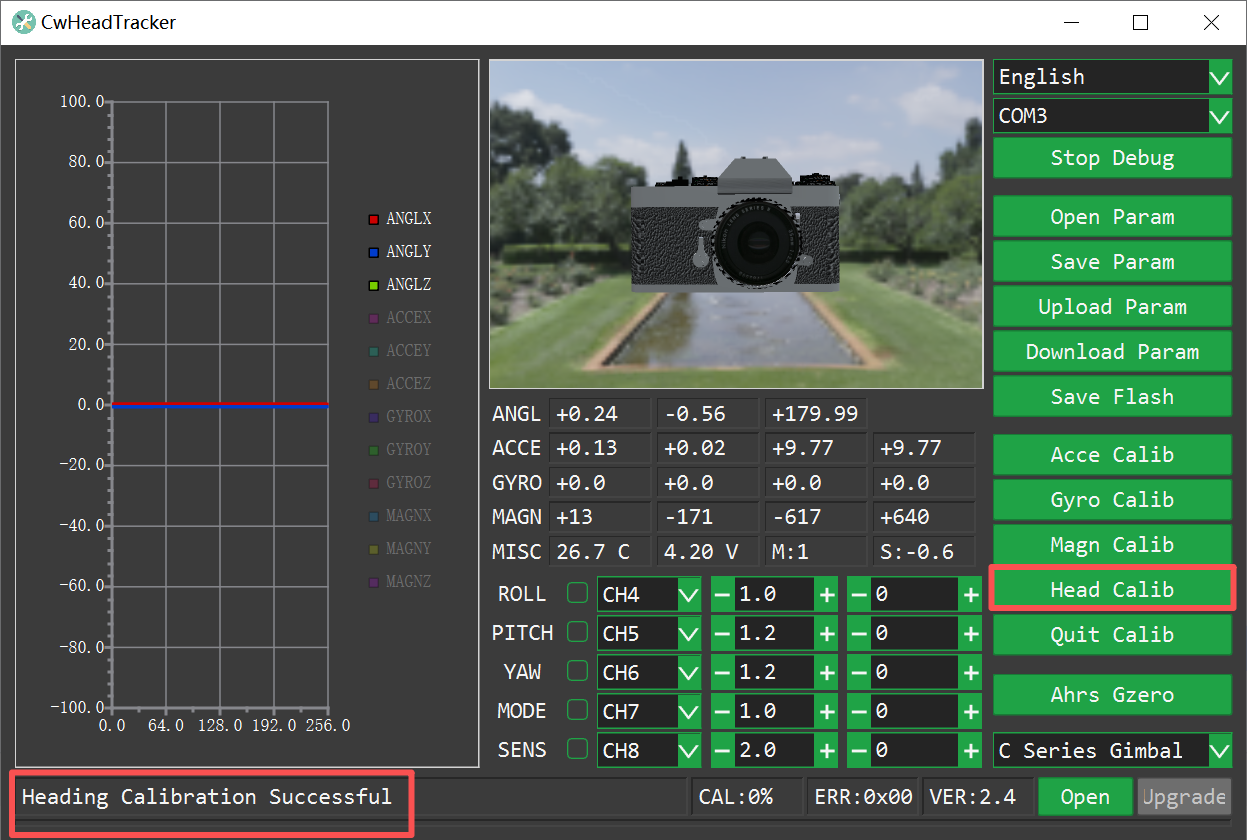
4. Click [Head Calib], keep your head perfectly still, and wait for the software to indicate that calibration is successful.
Leave a Reply